all plugins
BlackTimber: Smart Tree Felling for Folia

c/plugin

BlackTimber: Smart Tree Felling for Folia

Break one log and the whole tree falls, while houses, tree houses and hand built trees stay standing. Both the story and the user guide of a dependency free Minecraft plugin I wrote from scratch for Folia.

#minecraft#plugin#folia#paper#tree felling#server#open source#performance

I mostly fill this page with notes on research and software. This time the topic is a little different: a small Minecraft plugin. It grew out of tinkering with a server in my spare time. The idea sounds simple enough, you break a single log of a tree and the whole tree comes down. But doing the same thing without touching the work players put in, and doing it correctly on Folia's multi-threaded model, turned into a far more enjoyable problem than I first expected.

Below I explain both why I built the plugin the way I did and everything you need for day to day use, from installation to the commands. So this page reads as a story and as a reference guide at once. The source and the releases live on GitHub and Modrinth.

Why a Tree Felling Plugin?

What bothered me from the start was simple: every tree felling plugin I had tried toppled anything made of logs. The moment you swung an axe the wrong way next to a base, a wall, a floor, or even a whole tree house was gone in the blink of an eye. You do not feel like opening that plugin again.

I wanted the opposite. The plugin should fell only what nature grew and never touch anything a player placed by hand. For that, it had to be sure a cluster of logs really was a wild tree before toppling it. Proof first, then the axe.

Telling a Tree from a Build: Three Checks

The trick was hidden in how Minecraft stores leaves. Every leaf block carries a flag called persistent. On a wild or grown tree the leaves read false on that flag and decay over time once the tree is cut. Leaves a player places by hand (including ones taken with Silk Touch and set back down) read true and never decay. My first check grew straight out of this.

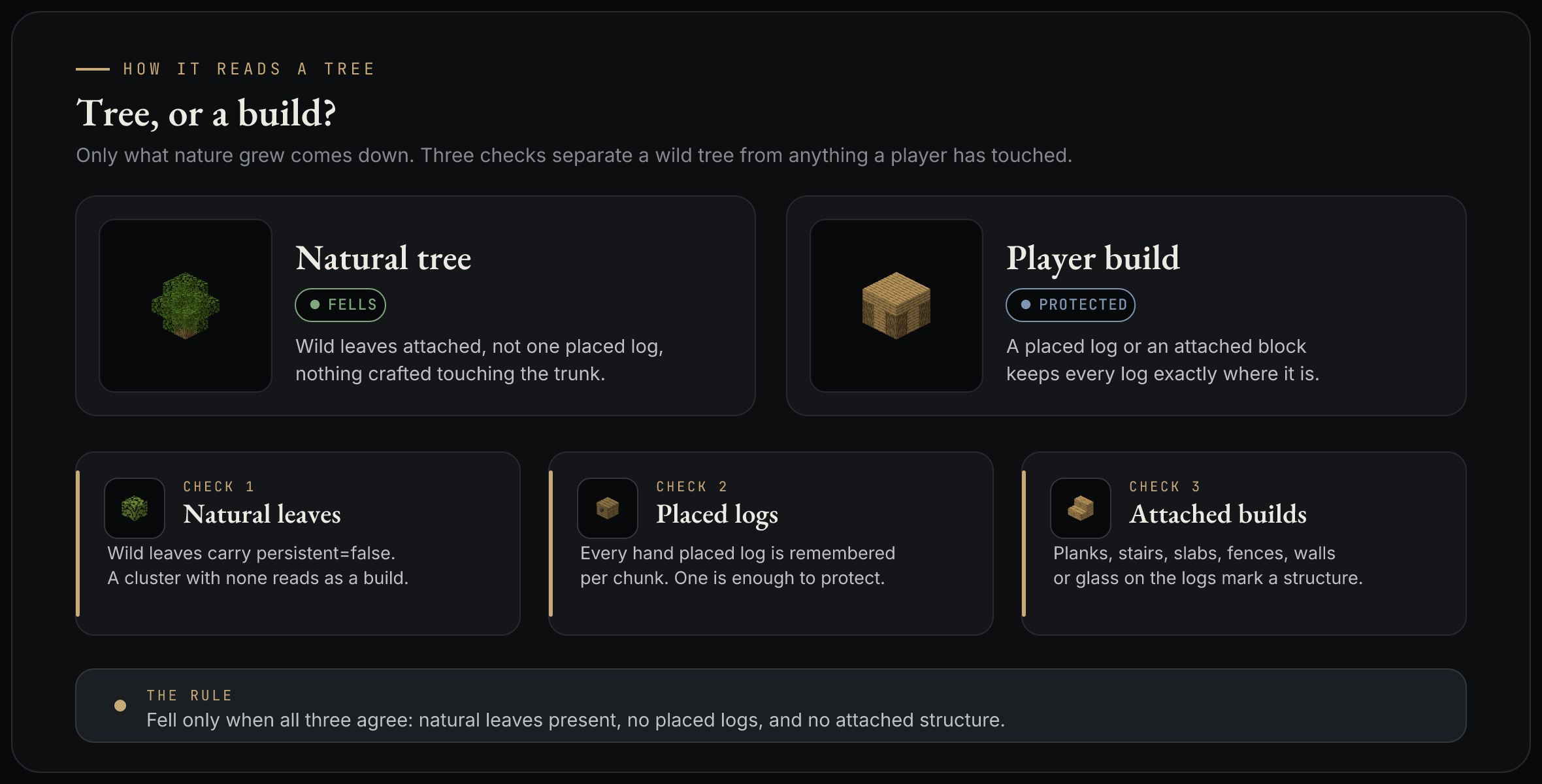
The three checks that tell a tree from a build

A cluster of logs comes down only when all three checks agree that it is an untouched wild tree:

  1. Natural leaves. If there are no natural leaves around the cluster, it is a build and the plugin leaves it alone. A plain wooden house stays safe this way.
  2. Placed logs. I remember every log a player places by hand. If the cluster holds even one of them, the whole tree is protected. Even a tree house with its natural canopy still on top keeps standing.
  3. Attached builds. If crafted blocks such as planks, stairs, fences, doors or glass touch the logs, it is a build. These do not grow on a wild tree on their own.

The rule fits into a single sentence: fell only when there are natural leaves, no placed logs and no attached structure. A sapling you plant still falls normally, because logs that form by growing are never counted as placed. But the moment you build something on a tree, that tree is protected.

Writing It for Folia from Scratch

This is the part I thought about the most. Folia splits the world into regions that are processed in parallel, with no single main thread in the classic sense. A block's data may only be touched by the thread that owns its region. A plugin that calls the old Bukkit scheduler simply crashes on this model.

So I wrote BlackTimber for Folia from the ground up. Since the break event already runs on the thread that owns the log, a normal tree is felled in place without ever crossing a thread boundary. When a fell is very large, say a giant sequoia, I spread the work across ticks with the region scheduler. A fixed number of logs is broken each tick so that no single region stalls.

I also took care not to allocate needlessly on the hot path. Block types are checked through cached tags, the search walks a single ArrayDeque, and visited positions are packed into one long. I did not set up a database to remember the logs a player places either; the positions sit in the chunk's own data container (the chunk PersistentDataContainer). They are written to disk with the chunk, so they survive even when the server restarts.

Menus and Player Control

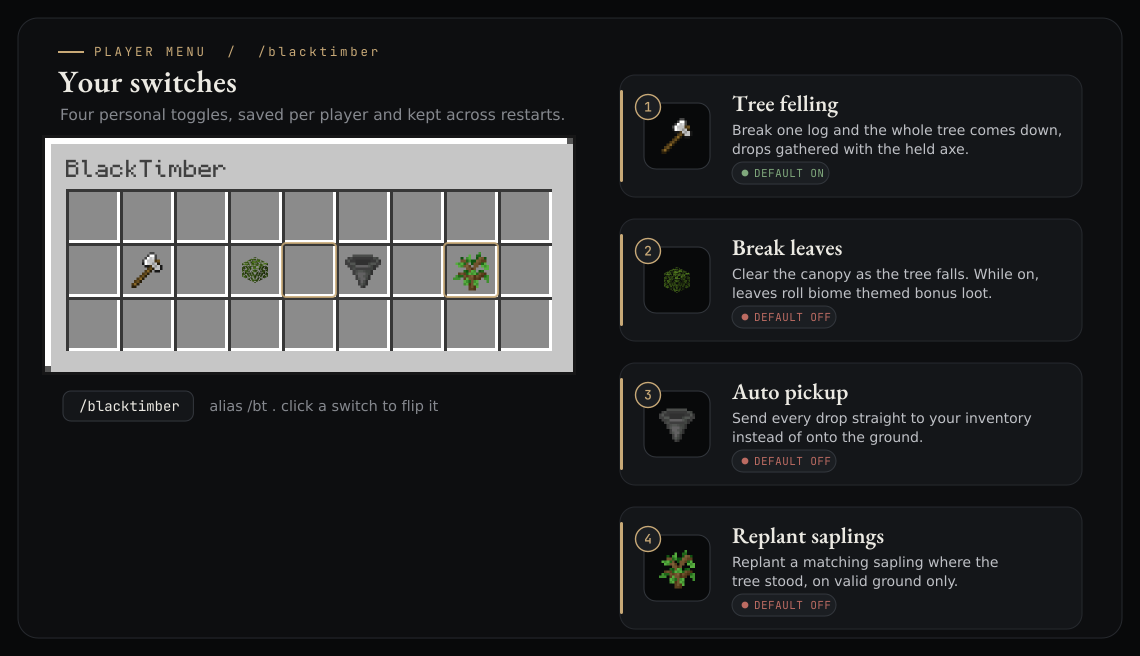
I did not want to trap the plugin entirely inside the admin's config file. /blacktimber opens four switches for every player: tree felling, leaf breaking, auto pickup and sapling replanting. The choices are saved per player and stay put even when the server restarts.

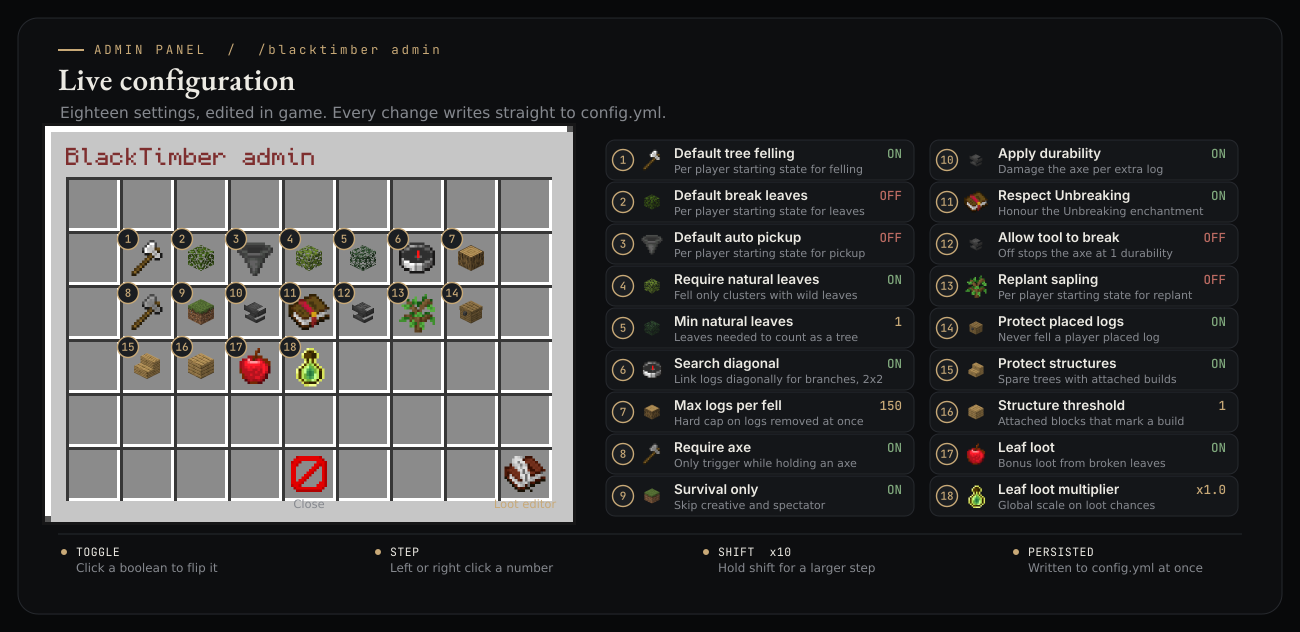
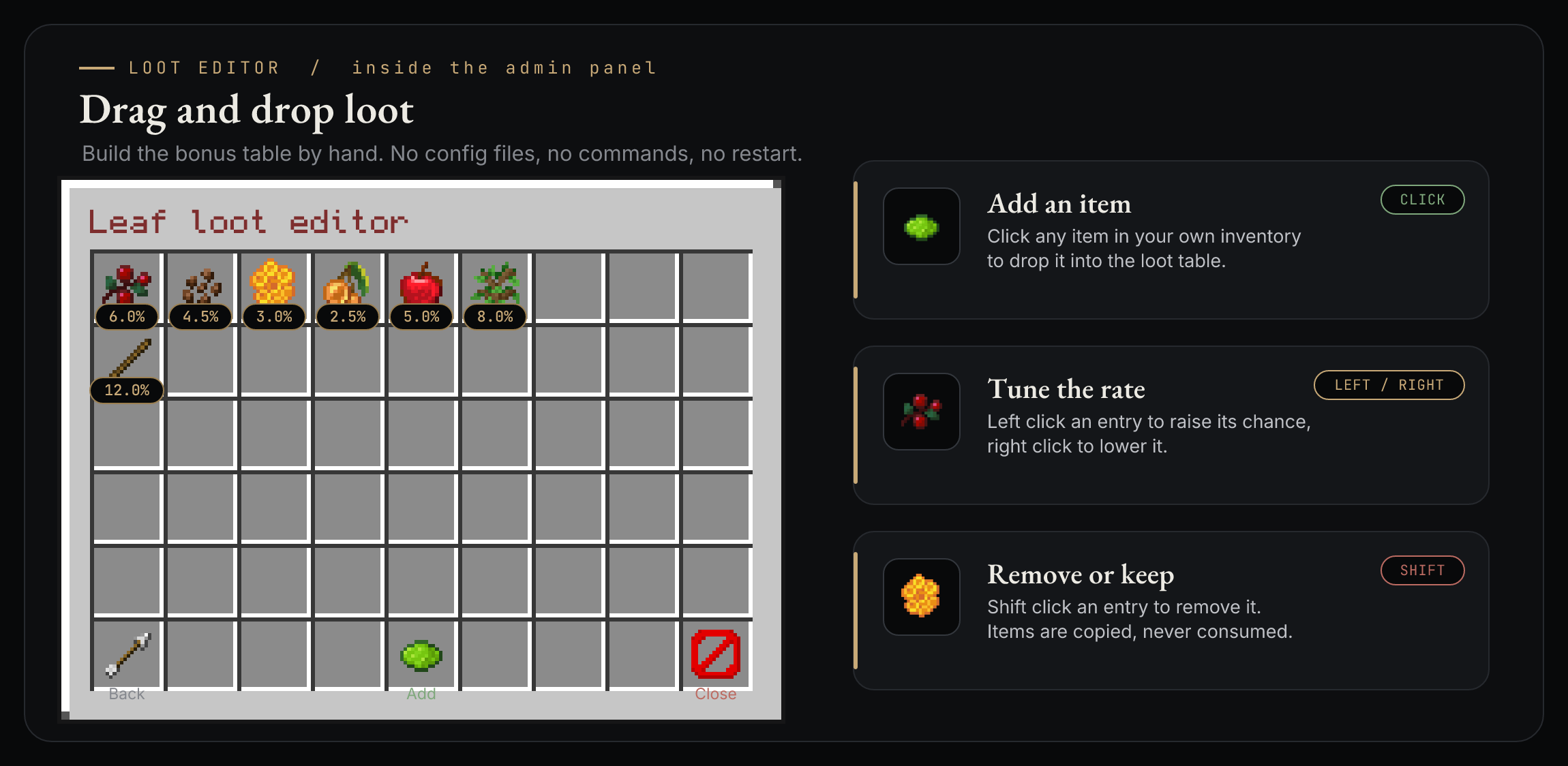
For admins, /blacktimber admin opens eighteen settings right inside the game. Every change is written to config.yml at once, with no reload needed. There is also a small drag and drop loot editor, for anyone who wants broken leaves to drop bonus rewards that vary by biome. All of it sits behind a single command, inside a single jar.

Installation, Commands and Permissions

It is a very plain plugin to run. It needs no extra library and no database; dropping in the jar and starting up is enough.

Requirements

  • Folia or Paper 26.1.2 (api-version: 26.1)
  • Java 25

Installation

  1. Download BlackTimber-1.4.0.jar from the latest release or from Modrinth.
  2. Put the jar into your server's plugins folder.
  3. Start the server. A config.yml is written on the first run.

Commands

The plugin has a single command: /blacktimber (alias /bt).

Command What it does Permission
/blacktimber Opens your personal settings menu blacktimber.use
/blacktimber on, off, toggle Turns tree felling on or off for you blacktimber.use
/blacktimber leaves <on/off> Toggles leaf breaking blacktimber.use
/blacktimber pickup <on/off> Toggles auto pickup blacktimber.use
/blacktimber replant <on/off> Toggles sapling replanting blacktimber.use
/blacktimber admin Opens the admin panel blacktimber.admin
/blacktimber reload Reloads config.yml blacktimber.admin

Permissions

Permission Default Description
blacktimber.use everyone Tree felling, the menu and the personal commands
blacktimber.admin operators The admin panel and reload

Configuration

You can reload config.yml with /blacktimber reload, and you can change the same values from the admin panel too. Here are the few settings you will reach for most in daily use:

Key Default Description
require-natural-leaves true Fell only clusters with natural leaves, protects builds
max-logs 150 Hard cap on logs removed in one fell
require-axe true Only trigger while holding an axe
protect-player-built true Never fell a cluster that holds a placed log
protect-structures true Protect a tree when crafted blocks touch its logs
leaf-loot-enabled true Bonus loot from broken leaves
telemetry true Anonymous usage stats, explained below

The full set of settings sits inside config.yml, each with its own comment.

How Widely Is It Used?

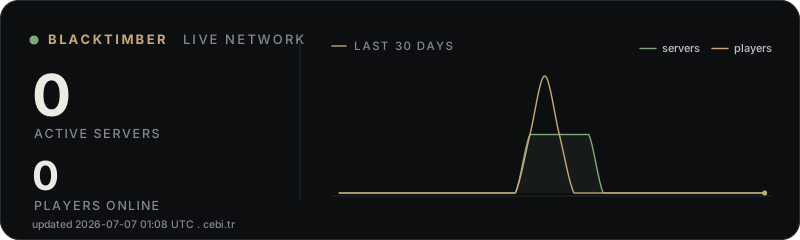
The only way to see how widely an open source project is used is for servers to send a small signal of their own accord. Every fifteen minutes BlackTimber sends only this much: a random id the server generated for itself, the current online player count, and the software and version. No IP is stored, and no player name or id is ever sent. The data is fully anonymous and aggregate; much like bStats, it does not fall into the personal data covered by the GDPR or the Turkish KVKK. Anyone who would rather opt out can turn it all off in one line with telemetry: false in config.yml.

The numbers below are live:

BlackTimber live network stats

Closing

The short version of all this: sometimes the work that gives you the most joy is a small problem solved properly. Even watching a tree fall feels different once you have built the rule behind it with your own hands. The plugin is open source; tinker with it, break it and improve it however you like. I hope it serves your server well too.

Links

Source and releases, GitHub

Modrinth page and download

Download version 1.4.0